
ClipCatalog vs Adobe Premiere
A factual comparison for users evaluating ClipCatalog as a standalone AI video library tool and Adobe Premiere (formerly Premiere Pro)’s Media Intelligence as an in-editor search feature for finding clips within a project.
Key official vendor sources reviewed for this page
The links above highlight the main public sources used for this comparison. Product details can change, so recheck pricing, plan limits, and feature scope on the vendor's live site before you buy.
- Free trial
- 500 videos / 10 hours of footage
- Full library access
- An email unlocks 14 days, once per installation or email
- License terms
- 2 activations + 5 years of free updates
- Annual (monthly billing)
- USD 22.99/month
- Annual (prepaid)
- USD 263.88/year
- Month-to-month
- USD 34.49/month
- Student/Teacher
- USD 19.99/month first year (Creative Cloud Pro, all apps)
- Trial
- 7 days free
Media Intelligence is included with all Premiere subscriptions at no extra cost. No perpetual license option. Prices reflect Adobe’s U.S. pricing as of September 2026 and may vary by region.
Detailed feature comparison
This table focuses on the differences most relevant to users deciding between an in-editor project search feature and a standalone library-wide video search tool.
| Capability | ClipCatalog | Adobe Premiere |
|---|---|---|
| Primary orientation | Standalone AI video library tool that indexes video across local folders, external drives, and NAS volumes. Searches the entire indexed library at once. | NLE with built-in AI search (Media Intelligence) for finding clips within the currently open project. |
| Typical user | Solo creators, editors, archivists, and families who need to find clips across a full video library without opening a specific project. | Video editors who work primarily in Premiere and want to search imported project footage while editing. |
| Library scope | Indexes any folder, external drive, or NAS volume. Search spans the entire indexed library at once. | Searches only media imported into the currently open project. Does not search across projects or unimported files. |
| Natural-language search | Semantic visual search with adjustable strictness controls and relevance sorting, across the full indexed library. | Media Intelligence analyzes imported clips and returns visual matches in the Search panel. Visual queries are English-only as of the latest documentation. |
| Face recognition | Face detection, face grouping, person filters, and a workflow to find more videos with the same person across all indexed drives and folders. | Not available. Media Intelligence can find visual attributes such as hair color or clothing but does not identify or group specific individuals. |
| Transcript search | Local transcription via whisper.cpp with spoken-word search across the entire library. Supports transcript export to TXT and SRT. | Built-in speech-to-text with transcript search in the Search panel, scoped to the current project. |
| Footage-type classification | Classifies footage as dialogue-heavy, voiceover-heavy, or scenic, with adjustable filter thresholds. | Adobe documents audio classification and scene detection in Media Encoder. The same dialogue-heavy, voiceover-heavy, or scenic filter as ClipCatalog is not documented. |
| Highlight scoring | Multi-factor highlight scoring based on visual, motion, speech, face, peak, sustained, coverage, and variance factors. | Adobe’s reviewed Media Intelligence guides describe relevant visual results within a project, but do not document ClipCatalog’s multi-factor highlight score. |
| Saved search presets | Reusable search and filter combinations that persist across sessions. | Not specified. The Search panel operates within the current project session. |
| 360° and action-camera video | Recognizes equirectangular projections and native 360° file formats, with optional processing controls. | Premiere supports 360° editing. Whether Media Intelligence specifically analyzes 360° content is not documented. |
| External drive and NAS support | Core feature. Volume tracking, disconnected-drive awareness, missing-folder warnings, moved-folder relinking, and NAS support via mapped network drives and UNC paths. | Search remains scoped to media imported into the current project, even when that media spans drives. Media Encoder can pre-analyze files and watched folders before import. |
| Platform | Windows. | Windows and macOS with native Apple Silicon support. |
| Privacy model | AI analysis and search run locally. The catalog database is encrypted with SQLCipher. | All analysis and search happen locally. Adobe states footage and searches are not used for training. The project visual index is a .prin file; optional .prmi sidecars can cache analysis beside media. |
| Pricing | Perpetual license with a free trial. | Monthly subscription starting at USD 22.99/month (annual plan). Media Intelligence included at no extra cost. No perpetual license option. |
Adobe Premiere and Media Intelligence information reflects publicly available Adobe documentation and blog posts as of September 2026. Features may change with future updates. Adobe Premiere (formerly Premiere Pro).
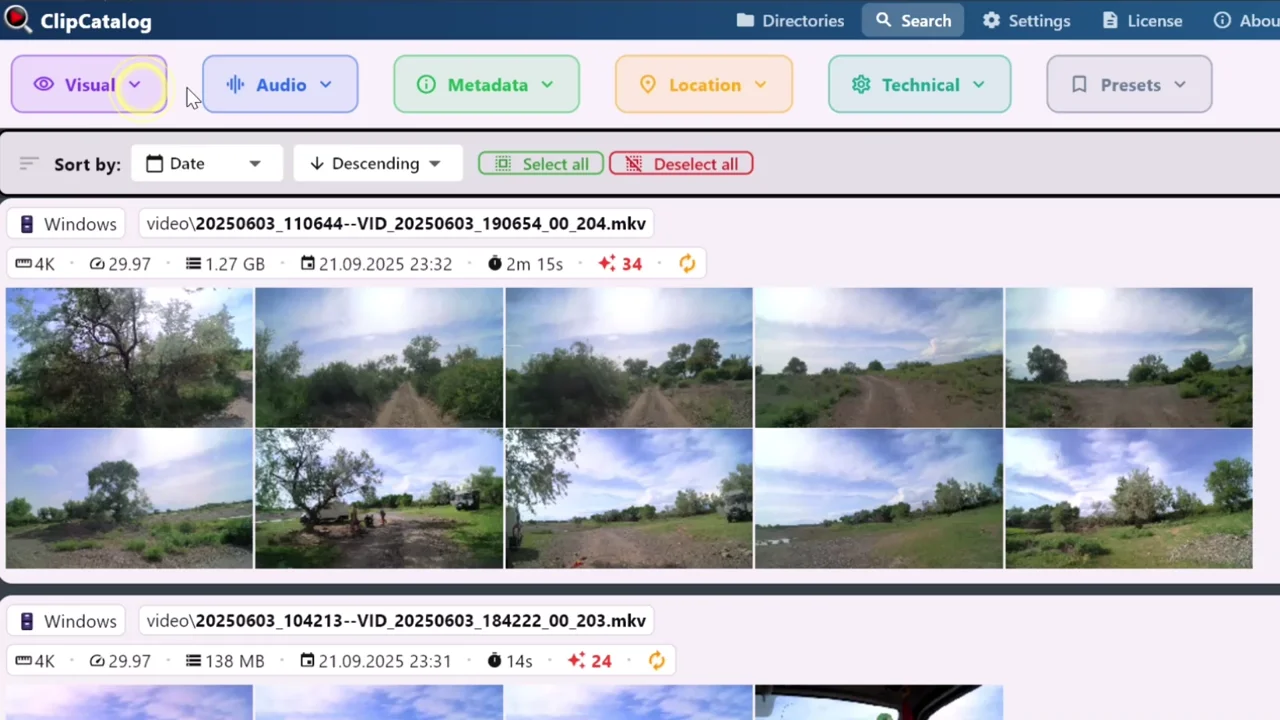
Search across indexed folders and drives
ClipCatalog searches indexed video folders, external drives and NAS volumes together.
Project-scoped search vs library-scoped search
The most significant difference is scope. Premiere’s Media Intelligence searches footage imported into the currently open project. This is a capable tool for editors working inside an active timeline, but it does not extend beyond the project boundary.
ClipCatalog indexes folders, external drives, and NAS volumes into a persistent searchable library. Users search across their entire video collection at once, regardless of which editor or project the footage belongs to. This matters most for users with footage spanning multiple drives or years of recordings.
Both process AI on-device, but serve different workflows
Both tools perform video analysis locally without uploading footage for this processing. Premiere’s Media Intelligence uses local hardware, while ClipCatalog runs ONNX models on the local GPU or CPU. An internet connection is not needed for this AI analysis.
The on-device processing serves different purposes. In Premiere, analysis happens when media is imported and results appear in the Search panel alongside the editing timeline. In ClipCatalog, analysis happens during folder synchronization and results feed a standalone search interface independent of any editor.
Face recognition and person-based discovery
ClipCatalog offers face detection, face grouping, person-based filters, and a workflow to find more videos with the same person. This is useful for interview footage, event recordings, family archives, and libraries where recurring individuals are important.
Adobe Premiere’s Media Intelligence does not perform face recognition or person identification. According to Adobe’s documentation, it can find visual attributes such as hair color or clothing, but cannot group appearances of the same individual across clips.
External drives, NAS, and the persistent library
ClipCatalog treats external drive and NAS support as a core library capability. Volume tracking, disconnected-drive warnings, moved-folder relinking, and access through mapped drives and UNC paths are built into directory management.
Premiere can use project media on external drives. Search remains scoped to media imported into the current project, even when that media spans drives. Media Encoder can pre-analyze files and watched folders before import.
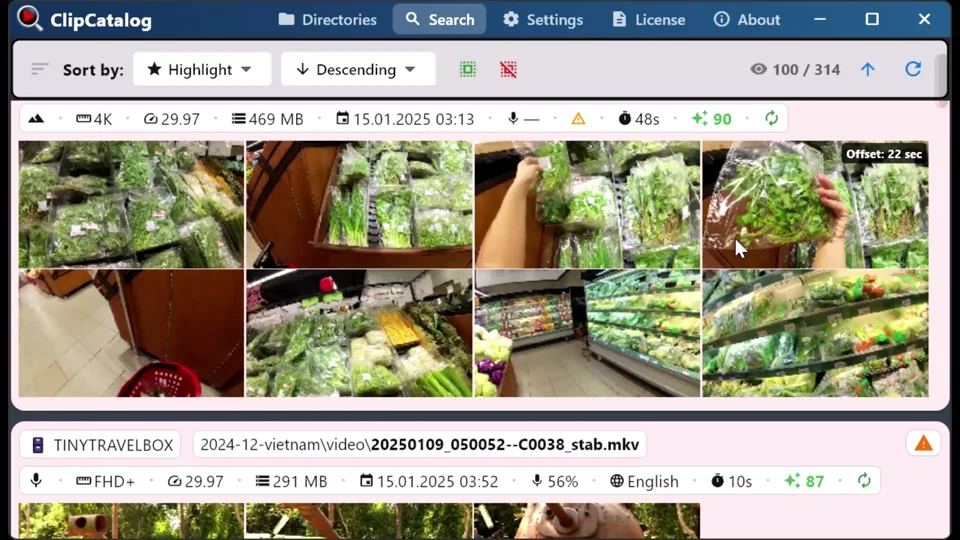
Keep the archive searchable when drives are disconnected
The index stays searchable after a drive disconnects or a folder moves. Reconnect the drive or relink the folder to open the original files.
Where ClipCatalog stands out
These ClipCatalog capabilities support video retrieval independently of editing projects.
ClipCatalog searches across all indexed folders, external drives, and NAS volumes at once. Premiere’s Media Intelligence searches only within the currently open project.
ClipCatalog offers face grouping, person filters, and a workflow to find more videos with the same person. Media Intelligence does not identify or group specific individuals.
ClipCatalog tracks volumes, detects disconnected drives, relinks moved folders, and accesses NAS through mapped network drives and UNC paths. The catalog persists while drives are disconnected; playing media requires access to its files.
ClipCatalog transcribes video audio locally using whisper.cpp and makes every spoken word searchable across the entire indexed library, not just within a single project.
Where Adobe Premiere may be the better choice
These are situations where Premiere and Media Intelligence may be the more practical choice.
If your workflow centers on Premiere and you want to search imported footage without leaving the editor, Media Intelligence delivers that directly in the Search panel. Results can be dragged to the timeline immediately.
Media Intelligence is included in every Premiere subscription at no extra cost. If you already pay for Creative Cloud, you get AI-powered project search without an additional purchase.
Premiere runs natively on both Windows and macOS with Apple Silicon support. ClipCatalog is currently available for Windows only.
The Premiere Search panel returns visual, audio transcript, and metadata results simultaneously. This unified view inside the editor is useful for searching without switching applications.
Frequently asked questions
ClipCatalog is a standalone Windows app that searches across your entire video library, every folder, drive, and archive at once. Adobe Premiere Media Intelligence is a search panel inside the editor that only searches the currently open project. Use ClipCatalog to find clips library-wide, then open them in Premiere for editing.
They serve different purposes. ClipCatalog is a standalone video library tool that searches across all indexed folders, drives, and NAS volumes. Premiere’s Media Intelligence is a search feature inside the editor that searches only within the current project. ClipCatalog is the better fit if you need library-wide search, face recognition, or search across disconnected drives. Premiere is better if you want AI search integrated directly into your editing timeline.
No. Search remains scoped to media imported into the current project, even when that media spans drives. Media Encoder can pre-analyze files and watched folders before import.
According to Adobe’s documentation, Media Intelligence does not perform face recognition. It can find visual attributes such as hair color or clothing, but does not identify, label, or group specific individuals across clips. ClipCatalog offers face detection, face grouping, and person-based search filters.
Yes. ClipCatalog is a standalone library tool. You can use it to find clips across your full video collection, then open or copy files into Premiere for editing. The two tools address different scopes: ClipCatalog searches your library, Premiere searches your project.
Adobe Premiere requires a monthly subscription starting at USD 22.99/month on an annual plan. Media Intelligence is included at no extra cost. ClipCatalog offers a perpetual license with a free trial. Current prices should be verified on each product’s website before purchase.
According to Adobe, all Media Intelligence analysis runs on-device using local hardware. Footage is not uploaded and is not used to train AI models. An internet connection is required for Premiere subscription verification but not for AI analysis.
Comparison note
This comparison uses publicly available Adobe documentation and blog posts. Adobe, Premiere, Creative Cloud, Media Encoder, and After Effects are trademarks of Adobe Inc. ClipCatalog is not affiliated with or endorsed by Adobe Inc. Media Intelligence features and availability may change with future Premiere updates.
Relevant comparisons
If you are evaluating this workflow against other tools, start with these side-by-side pages.
See if ClipCatalog fits your video archive
Download the free trial, point it at a folder of video, and see how ClipCatalog finds clips by visual content, spoken words, and faces across your entire library, not just within a single project.
License terms and installer availability