
ClipCatalog vs Adobe Bridge
A careful comparison for buyers choosing between AI video retrieval on Windows and Adobe Bridge's broader metadata-first asset manager.
Key official vendor sources reviewed for this page
The links above highlight the main public sources used for this comparison. Product details can change, so recheck pricing, plan limits, and feature scope on the vendor's live site before you buy.
- Free trial
- 500 videos / 10 hours of footage
- License terms
- 2 activations + 5 years of free updates
- Sign-in
- Adobe ID + internet required
- Activation
- License acceptance required
- Extra costs
- Some connected services can add charges
Detailed feature comparison
This table focuses on the differences that most affect a buyer choosing between dedicated AI video retrieval and a broader creative asset manager.
| Capability | ClipCatalog | Adobe Bridge |
|---|---|---|
| Primary product orientation | AI-powered Windows desktop video cataloging, indexing, and retrieval for large local libraries. | Creative asset manager for previewing, organizing, editing metadata, and handing assets into Adobe workflows. |
| Media scope | Video-first and retrieval-focused. | Mixed-media across photos, design files, PDFs, audio, video, and Adobe-native assets. |
| Operating system | Windows desktop application. | Windows 10/11 and macOS 13+ desktop application. |
| Search model | Combines semantic descriptions, spoken words, faces, metadata, path or volume filters, and technical video filters. | Searches filenames, keywords, metadata, filters, Find, Quick Search, and smart collections. |
| Transcript and spoken-word search | Yes. Core workflow. | Not publicly specified. |
| Face and person discovery | Yes. Face detection, grouping, person filters, and same-person discovery. | Not publicly specified. |
| Metadata and keyword workflows | Uses metadata and saved presets, but not deep metadata administration. | A major strength: metadata editing, templates, hierarchical keywords, labels, ratings, and smart collections. |
| External drives and moved folders | Volume-aware filters, disconnected-drive states, and moved-folder relinking. | Can browse mounted folders and collections across drives, but equivalent volume-aware relinking was not publicly specified. |
| Batch utilities and ingest | Focused on retrieval, saved searches, and transcript export. | Offers Workflow Builder, export utilities, quick actions, Photo Downloader, and Camera Raw-related workflows. |
| Adobe ecosystem handoff | External file access rather than deep suite integration. | A strong fit for Adobe-centered workflows including Creative Cloud apps, Libraries, Premiere Pro, and Media Encoder. |
Adobe Bridge notes summarize public product information reviewed for this comparison. Where Adobe was silent or narrow on a workflow, the table says so directly.
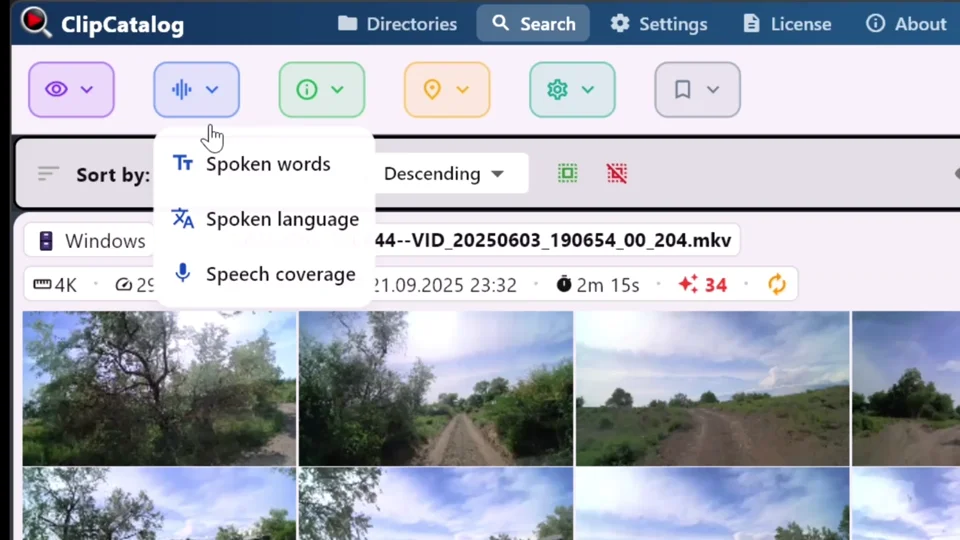
Transcript search inside local footage
ClipCatalog can search spoken words across indexed video libraries without relying on manual keywording or deep metadata work.
Metadata-first asset management vs AI video retrieval
Adobe Bridge is built around browsing, previewing, labeling, keywording, and moving creative files through an Adobe-centered workflow.
ClipCatalog starts from a different question: how do you find the right moment inside a large video archive? It searches what appears, what is said, who appears, and how the footage behaves.
Manual organization vs transcript, face, and semantic discovery
Bridge gives users strong manual structure through metadata editing, templates, hierarchical keywords, labels, ratings, and smart collections.
ClipCatalog reduces manual description work with transcript search, semantic search, face grouping, same-person discovery, and video-specific ranking.
Adobe workflow utility
Bridge may be the more natural fit when Camera Raw, Photoshop, Creative Cloud Libraries, Adobe Stock, Premiere Pro, or Media Encoder are central to the workflow.
ClipCatalog is not trying to be a general Adobe workflow hub; it is built to find footage quickly and get you back to the edit.
Breadth vs search depth
Bridge has more breadth for mixed-media preparation, ingest, and utility workflows, and it runs on both Windows and macOS.
ClipCatalog gives up that breadth in exchange for deeper archive search, stronger external-drive handling, transcript export, and compound video filtering.
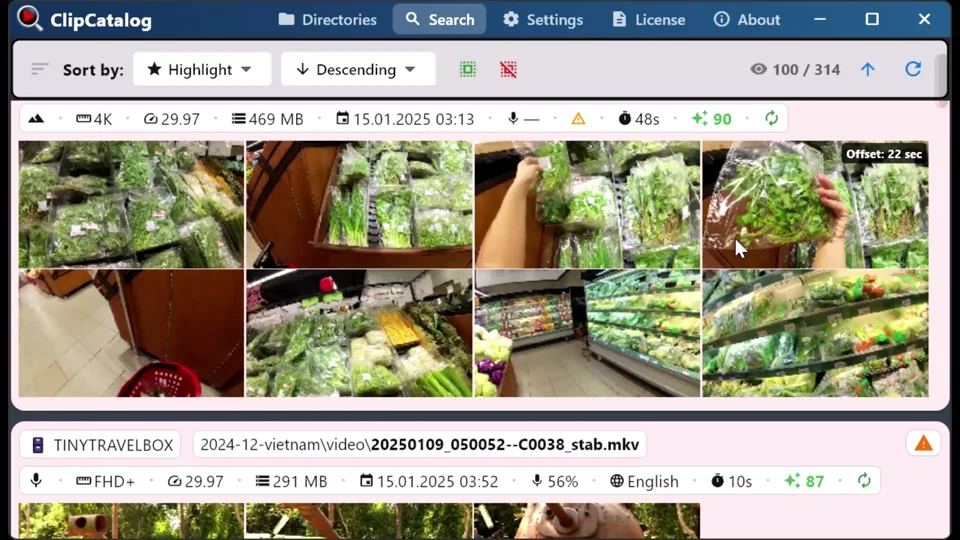
Archive search across disconnected drives and moved folders
ClipCatalog keeps archive context searchable across disconnected drives, changed drive letters, and moved folders, but you still need to reconnect the drive or relink the folder to open the original files again.
Where ClipCatalog stands out
These are the ClipCatalog strengths that matter most in an Adobe Bridge comparison.
ClipCatalog is built to search what is visible, what is said, who appears, and how the footage behaves.
ClipCatalog offers face grouping, person filters, and a direct workflow for finding more videos with the same person.
Spoken words are a first-class search surface, with inline transcript viewing plus TXT and SRT export.
Volume tracking, disconnected-drive handling, and moved-folder relinking are unusually relevant for large archives.
Where Adobe Bridge may be the better choice
These are the clearest cases where Adobe Bridge may be the better fit.
Adobe Bridge is much broader for images, design files, PDFs, audio, video, and Adobe-native assets.
If your asset manager constantly hands work into Creative Cloud applications, Bridge may be the closer fit.
Bridge is stronger if careful keywording, labels, ratings, templates, and smart collections are central.
Photo Downloader, DNG conversion, Camera Raw access, and workflow utilities make Bridge more relevant for photographers and mixed teams.
Frequently asked questions
Yes, mainly when your main problem is finding moments inside large video libraries rather than managing mixed creative assets with metadata and Adobe handoff.
Adobe currently markets Bridge as a free download, but activation still requires an Adobe ID, internet connection, and license acceptance.
Not publicly specified in the materials reviewed for this comparison.
Not publicly specified. Public documentation covers preview and metadata workflows more than person-based video discovery.
ClipCatalog is usually the closer fit because it goes further on disconnected drives, volume-aware filtering, and moved-folder relinking.
Adobe Bridge is often the closer fit because of Camera Raw, ingest, metadata templates, Libraries, and Adobe publishing or handoff workflows.
Comparison note
This comparison uses public product information and is meant to help buyers evaluate fit, not imply affiliation, endorsement, or hands-on testing. Adobe, Adobe Bridge, and ClipCatalog are trademarks of their respective owners.
Relevant comparisons
If you are evaluating this workflow against other tools, start with these side-by-side pages.
See if ClipCatalog fits your video archive
Download the Windows trial, index a real folder, and compare whether AI-powered video search feels more useful than manual folder, keyword, and metadata workflows.