
Best Offline Video Management Software for Local Storage (2026)
A careful buyer's guide for choosing between ClipCatalog, Peakto, NeoFinder, Mylio Photos, and Adobe Bridge when local storage, offline use, and privacy-sensitive video workflows matter.
Key official vendor sources reviewed for this page
The links above highlight the main public sources used for this comparison. Product details can change, so recheck pricing, plan limits, and feature scope on the vendor's live site before you buy.
Quick summary
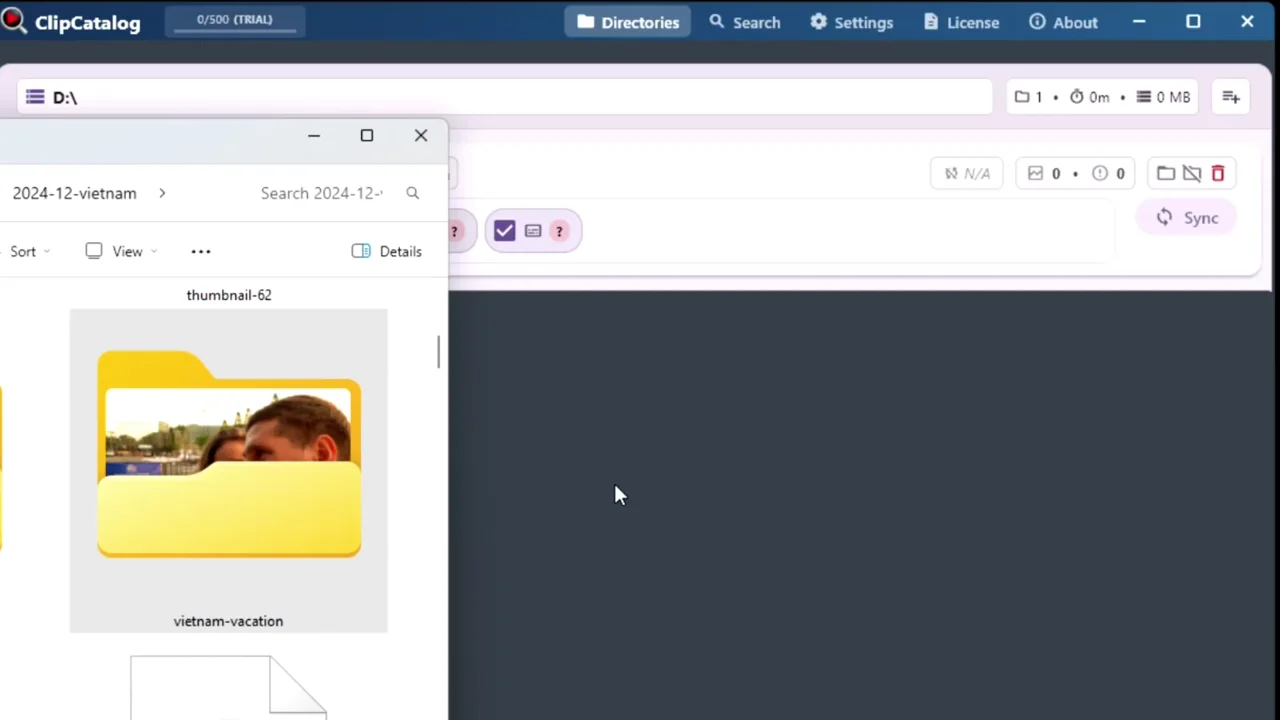
ClipCatalog is the clearest fit here for Windows users who need to find the right clip across large local video libraries. Peakto is the strongest Mac-native local-AI alternative, NeoFinder is the archive-inventory option, Mylio is the cross-device privacy-forward pick, and Adobe Bridge is the Adobe-centered mixed-asset choice.
Comparison matrix
This matrix focuses on fit, not hype — including coverage of automatic video tagging across each tool. Where a capability was unclear in current public materials, the row says so directly.
| Criteria | ClipCatalog | Peakto | NeoFinder | Mylio Photos | Adobe Bridge |
|---|---|---|---|---|---|
| Primary fit | Windows video retrieval for large local libraries | Mac media manager with local AI and browser access | Mac archive cataloging and offline inventory | Cross-device private media library | Adobe-centered asset browsing and metadata |
| Platforms | Windows | macOS | macOS + iPhone/iPad | Windows, macOS, iOS, Android | Windows + macOS |
| Files stay on your storage | Yes; folders, drives, archives stay where they are | Yes; vendor positions it around existing drives and sources | Yes; built around disks, NAS, removable media | Yes; optional SecureCloud exists | Yes; local folders and mounted media |
| Cloud required for core workflow | No | No, according to vendor materials | No | No; optional cloud services exist | No for local browsing workflows |
| Transcript or dialog search | Yes | Yes | Not publicly specified | Not publicly specified | Not publicly specified |
| Face and person workflows | Yes; optional local face detection and grouping | Photo workflows yes; video face search marked coming soon | Faces and people metadata are documented | Yes; face recognition across the library | Not publicly specified |
| External drives and archives | Strong support for external volumes and moved folders | Supports SSDs, drives, NAS, and multi-source libraries | A core strength | Good cross-device storage story, less archive-centric | Works with local folders and mounted drives |
| Best-fit buyer | Windows creators who need to find the right clip in a large local video library | Mac creators who want local AI plus browser access | Mac users with large offline archives | People or small teams who want one private library on many devices | Adobe-centric teams managing mixed creative files |
Public materials change. Recheck pricing, plan limits, and feature scope on the vendor's live site before you buy.
What we checked before calling a tool privacy-first
Privacy-first is easy to claim, so we used a short practical checklist instead.
Do your original files stay on your own storage?
We favored tools that work with existing folders, SSDs, NAS volumes, and archives instead of requiring a hosted library before the product becomes useful.
Why it matters: Storage ownership is the first practical privacy decision, especially for client footage, family archives, or internal media.
Can the workflow still function offline?
We looked for public evidence of offline browsing, search, and archive access instead of assuming every desktop app behaves the same way.
Why it matters: A desktop app is not automatically offline-friendly if the best features still depend on a remote service.
Does the vendor explain local AI clearly?
When a product claims local AI, we looked for specific public wording about where processing happens.
Why it matters: Clear documentation is more trustworthy than a vague privacy promise.
Can sensitive features be turned off or cleaned up later?
If a workflow touches faces or other sensitive signals, users should be able to enable it intentionally, disable it later, and understand how related data can be removed.
Why it matters: Visible controls matter when footage includes people, clients, or internal teams.
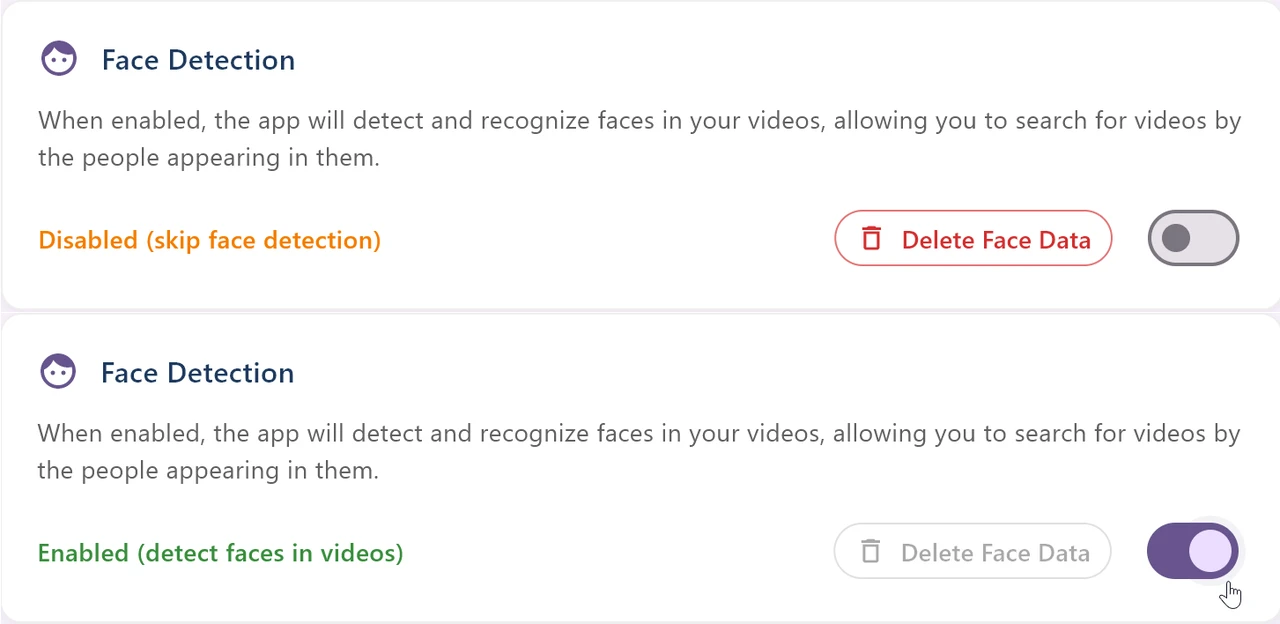
Visible control over face detection
ClipCatalog treats face detection as an intentional workflow, not a hidden default. Users can see the setting, choose whether to use it, and remove stored face data later.
Why it matters: On a page about privacy-sensitive video libraries, a visible control is more credible than a generic privacy promise.
The shortlist, product by product
These tools made the list because they sit close to the buyer problem behind this page. Some are retrieval-first. Some are archive-first. Some are broader cross-device libraries.
Best for Windows users who need to find the right clip in a large local video library.
- Semantic search, transcript search, person search, and technical filters work together in one workflow.
- Built around folders, external drives, archives, and moved-folder recovery instead of a cloud-first library model.
ClipCatalog is narrower than a broad DAM, but that focus is exactly why it fits large local video libraries so well.
Best for Mac-based creators who want local AI, browser access, and video-aware media management.
- Public materials document local AI, prompt-based video search, and transcript or dialog search.
- Peakto is broader than a desktop-only search tool because browser access and sharing are part of the product story.
Peakto is one of the strongest alternatives here, but it is Mac-only and video face search is still publicly presented as coming soon.
Best for Mac users who care more about offline archive inventory than deep AI video retrieval.
- NeoFinder emphasizes disks, NAS, removable media, LTO, and very large archives.
- Its public video story is about thumbnails, metadata, contact sheets, codecs, subtitles, and archive lookup.
NeoFinder looks excellent for archive control, but public materials focus more on cataloging than on semantic or transcript-driven video retrieval.
Best for people or small teams who want one private media library across desktop and mobile devices.
- Mylio emphasizes local AI, offline access, people search, and device-to-device library control.
- SecureCloud is optional rather than the only way to use the product.
Mylio is more cross-device and mixed-media oriented than retrieval-first video oriented, so it is relevant here but not the strongest pure video-archive fit.
Best for Adobe-centered teams managing mixed creative assets on local storage.
- Adobe Bridge is strong on metadata, keywords, collections, previews, and broad file-type coverage.
- It fits best when your asset manager is also part of a wider Adobe workflow.
Bridge is a capable asset browser, but public materials do not position it as a privacy-first AI video-retrieval tool.
Where ClipCatalog stands out for local video libraries
ClipCatalog does not try to be every kind of media manager. Its edge is narrower and more practical: help Windows users find the right clip in large local video libraries.
ClipCatalog is built to retrieve clips by what appears on screen, what is said, who appears, and how the file behaves.
Semantic prompts, transcript terms, faces, dates, folders, volumes, and technical filters can narrow the same result set together.
Large local libraries rarely stay tidy. ClipCatalog is built around existing folder structures, external drives, and archive moves.
Where another tool may be the better choice
A credible roundup should make the tradeoffs obvious. If one of the priorities below matters more to you than Windows-first video retrieval, a different product on this page may be the better match.
Peakto is the closest local-AI alternative here for Mac users, especially if browser access, sharing, or pre-editing workflows matter.
If your daily pain is knowing which disconnected drive, NAS volume, or archive contains the file, NeoFinder may be the cleaner fit.
Mylio is the broadest cross-device option here and may fit better when the main problem is media access across phones, tablets, laptops, and desktops.
Bridge makes the most sense when your asset manager is mainly a folder, metadata, and handoff tool inside a wider Adobe stack.
Detailed head-to-heads available now
Use the roundup to narrow the field, then jump into a specific comparison when you are deciding between ClipCatalog and a single alternative.
Related how-to guides
Already decided ClipCatalog fits? These problem-centered guides walk through the most common local-first video search workflows.
Find B-roll by what's on screen
You need a four-second shot of a sunset, a crowd, or a coffee cup — and you know you have it somewhere. ClipCatalog runs AI tagging on every clip locally; stack AI tags with Match-All / Match-Any to pull matching B-roll from your entire library.
Organize footage across drives and NAS
Internal SSDs, external drives, NAS shares — one library catalogs them all. Search clips even when a drive is unplugged.
Search a TB-scale video library
Past a few terabytes, scrolling stops working. Combine tag, transcript, face, and metadata filters into one query and drop thousands of clips down to dozens — across every drive, with no per-minute fees.
Search videos by spoken words
Find the exact moment something was said across your whole library. Offline Whisper transcription, no uploads, no per-minute fees.
Find every appearance of a specific person
You know someone is in your footage but not which files. Face search finds every clip a person appears in — across years of videos on multiple drives, including footage outside your phone's photo library.
Frequently asked questions
What are the top tools for privacy-first video capture and storage?
The 5 top tools we evaluated for privacy-first video capture and storage are ClipCatalog (Windows, AI-first, local-only), Peakto (Mac, AI-assisted), NeoFinder (Mac, archive cataloger), Mylio (cross-device, local-first), and Adobe Bridge (cross-platform, no AI). All five keep media on local disks by default, with no required cloud upload.
Which privacy-first video software runs entirely on Windows without the cloud?
ClipCatalog is the closest fit for Windows users who want a fully local AI-powered video library — semantic search, transcripts, and face recognition all run on-device. Mylio also runs on Windows but is broader and not video-specific. The other tools in this roundup are Mac-only or rely on optional cloud features.
Are there local-only alternatives to cloud-based video managers?
Yes — for Windows, the strongest local-only options are ClipCatalog (AI-first) and Mylio. For Mac, Peakto and NeoFinder are local-only. Adobe Bridge runs locally on both platforms but doesn't offer AI search. None of the five tools require uploading your media to a cloud service to function.
Which product on this page is the best fit for Windows users?
ClipCatalog is the clearest fit for Windows users who want privacy-sensitive, local video retrieval. Mylio also supports Windows, but its positioning is broader and more cross-device than video-specific.
Which product looks strongest for Mac users?
Peakto and NeoFinder are the strongest Mac-native options here, but for different reasons. Peakto is stronger on local AI-assisted search. NeoFinder is stronger on offline disk cataloging and archive inventory.
Do any of these tools force me to upload media to the cloud?
Not according to the current public materials reviewed for this page. Some products also offer browser access, sharing, or optional cloud services, so the important detail is how the default workflow behaves and what remains optional.
Which tools publicly document transcript or dialog search?
ClipCatalog and Peakto do. Transcript or dialog search was not clearly specified in the public materials we reviewed for NeoFinder, Mylio Photos, or Adobe Bridge.
Should I start with this roundup or a head-to-head comparison page?
Start here if you are still deciding which category of tool fits your workflow. If you are already down to a specific alternative, jump to a detailed comparison page such as ClipCatalog vs Peakto or ClipCatalog vs Adobe Bridge.
Comparison note
This page is based on public vendor materials reviewed on June 20, 2026 and is meant to help buyers evaluate fit. It does not imply affiliation, endorsement, or hands-on testing of every workflow described here. Product names and trademarks belong to their respective owners, and product details can change over time.
Test the Windows option against a real folder, not a demo promise
Download ClipCatalog, point it at a real folder or archive drive, and compare whether semantic search, transcript search, person workflows, and local-first controls feel more useful than a broader asset browser for your library.
License terms and installer availability