
On-device AI video search
Every clip you've ever shot, found in seconds.
Built for editors, vloggers, and family archivists.
Turn your video folders into a searchable library — by what's shown, what's said, and who appears.
- Natural-language search
- AI scene tagging
- Transcripts
- Faces
AI features run on-device — no cloud inference. How we handle face data →
Windows 10/11 · 24 MB · v0.19.1
500 videos free · no credit card · no account
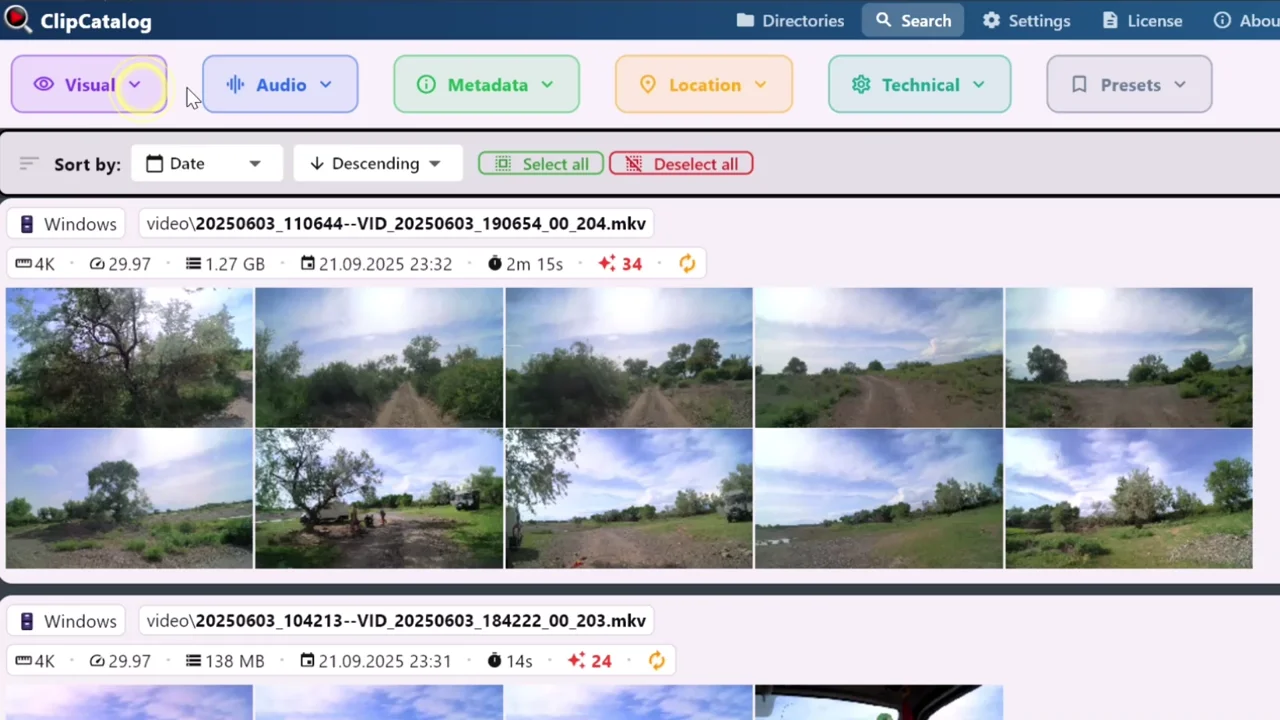
Import folders, let AI do the heavy lifting, search everything
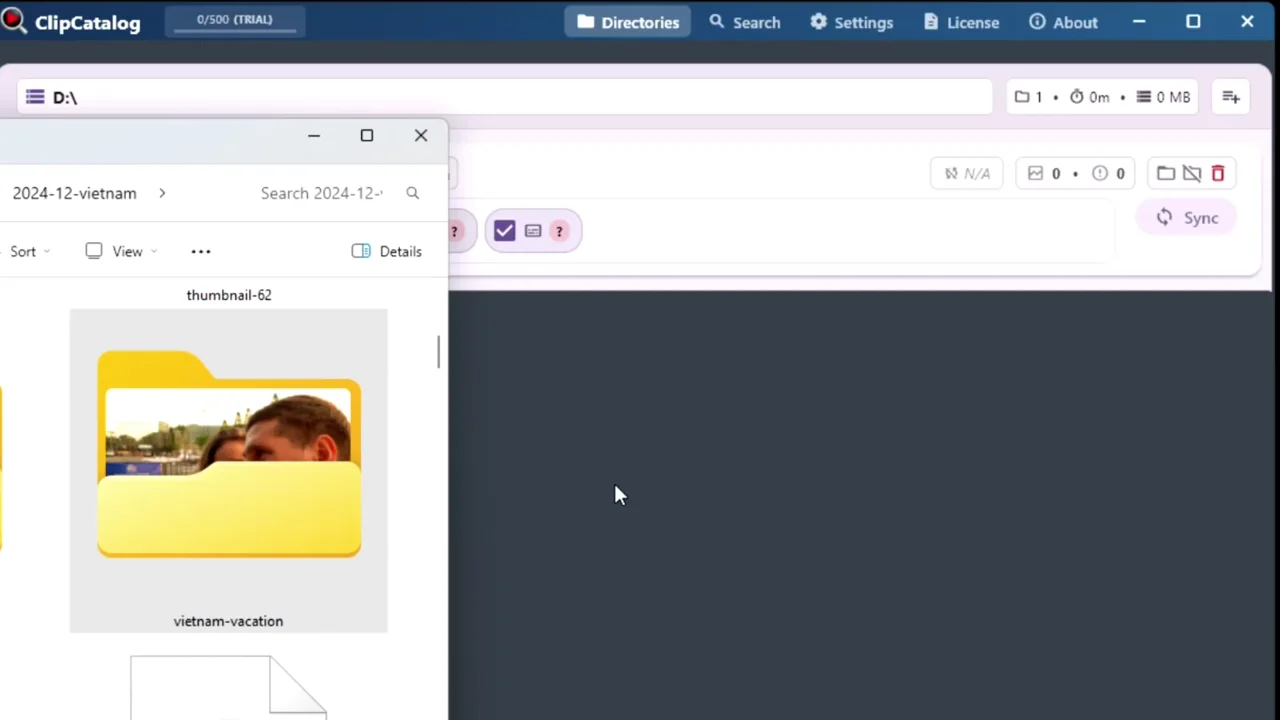
Point ClipCatalog at any folder on your PC or external drive. It processes every clip locally — generating thumbnails, detected content, speech transcripts, and optional face data — so you can browse and find footage in seconds.
Find the exact clip — no matter how you remember it
Whether you recall what was on screen, what someone said, or who was in the shot, ClipCatalog has a filter for it. Switch All/Any when combining multiple terms.
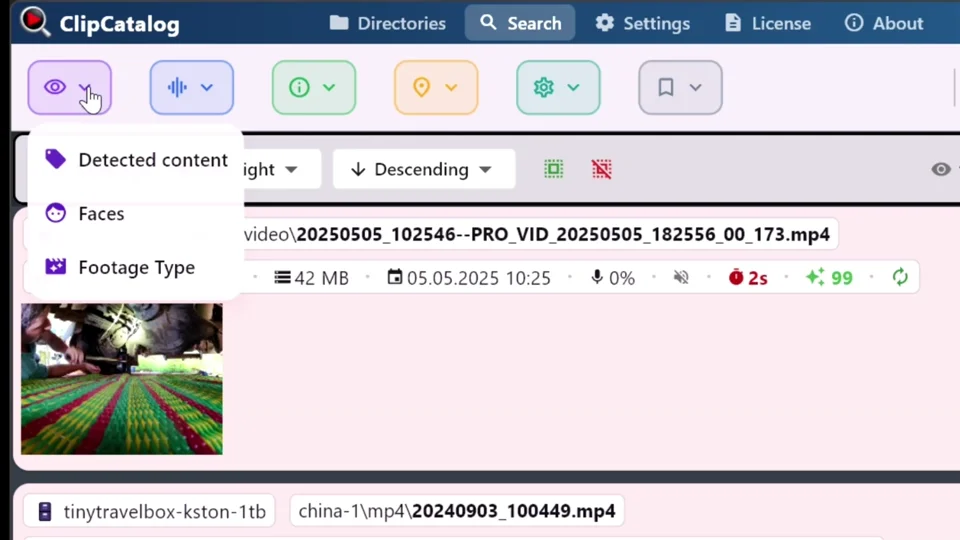
Search by what's in the shot
ClipCatalog's AI watches every clip and automatically detects scenes, objects, and actions — cars, beaches, interviews, celebrations, you name it. Type what you're looking for and matching clips surface instantly. No manual labeling required.
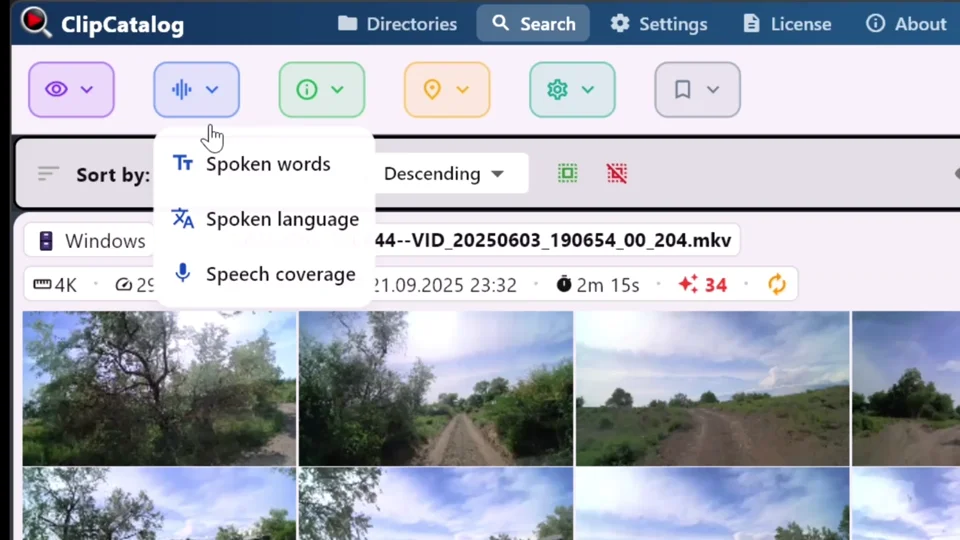
Find clips by what was said
Every word spoken in your footage becomes searchable. ClipCatalog transcribes audio locally using state-of-the-art speech recognition, so you can type a spoken word and jump straight to the moment — perfect for pulling sound bites, interview quotes, or voiceover takes.
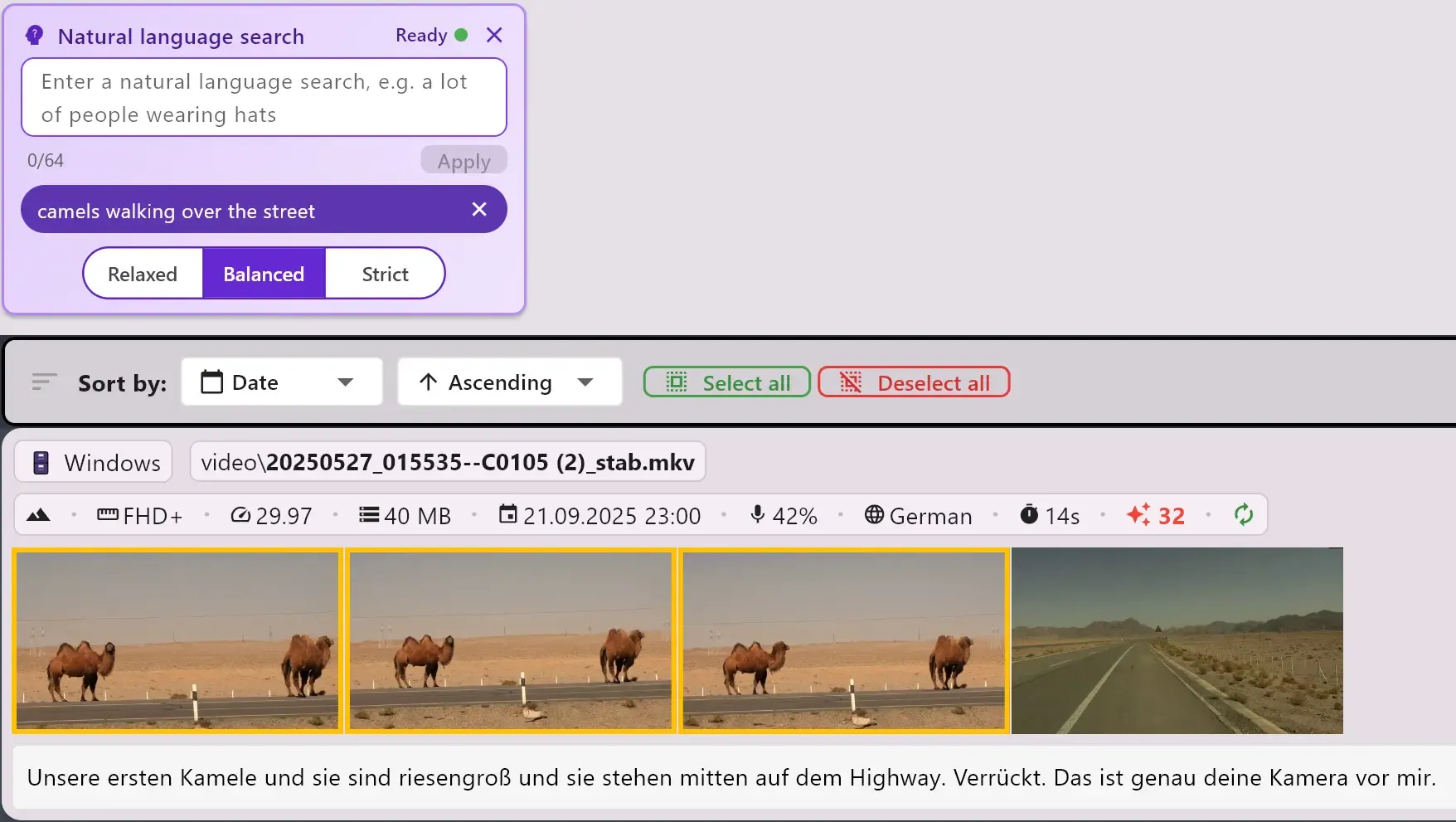
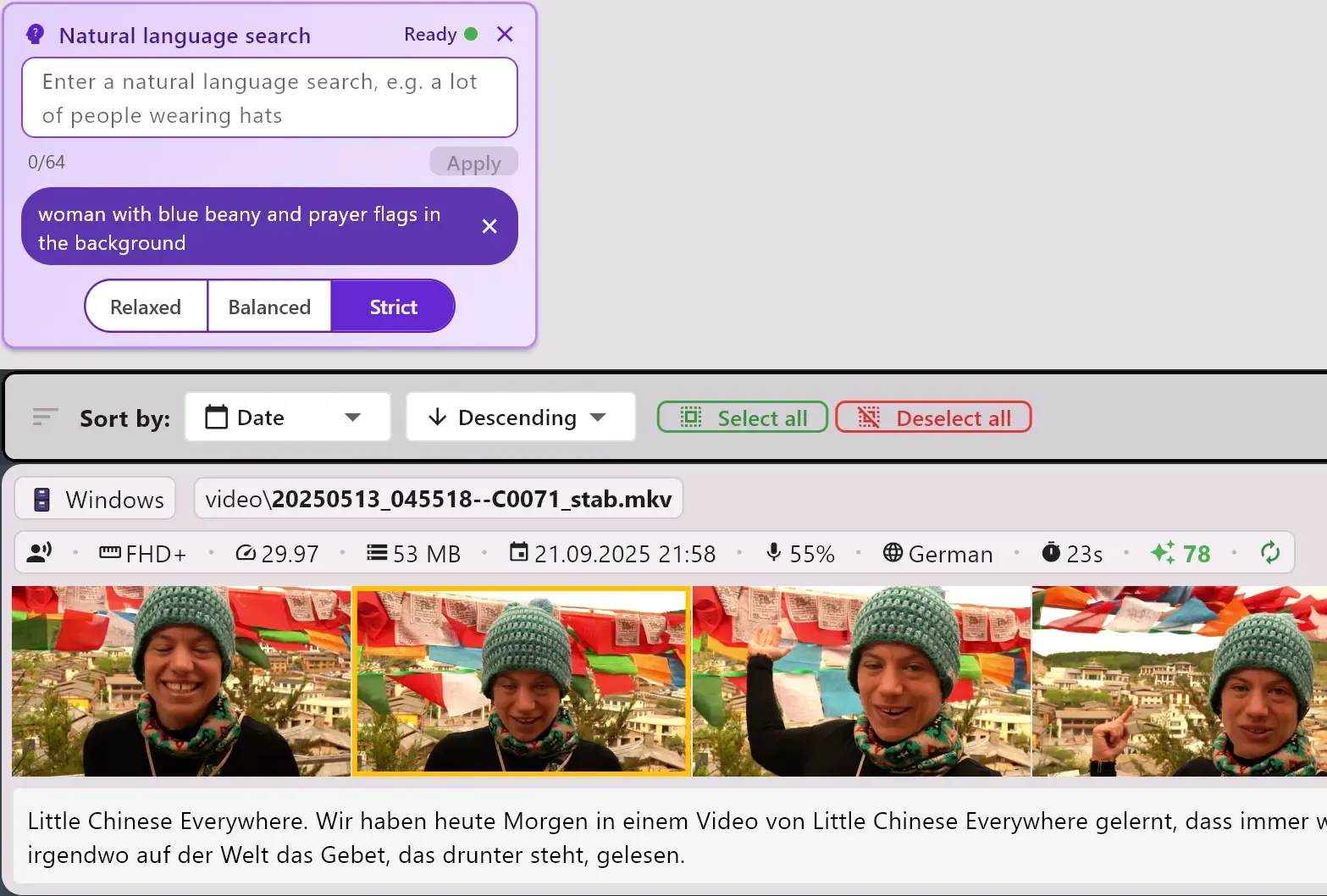
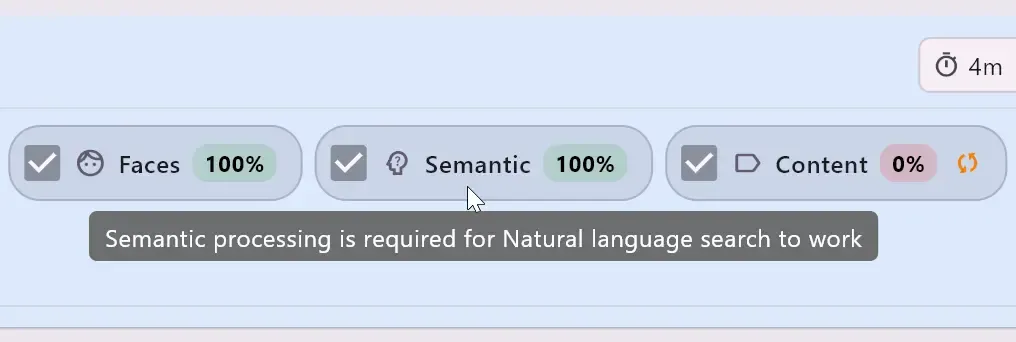
Natural-language search
Describe the shot you want in plain language instead of guessing exact tags. ClipCatalog's natural-language search lets you adjust semantic strictness, sort by relevance, and move from broad scene descriptions to the right clips faster.
Find every appearance of a person
Face recognition groups appearances automatically across your entire library. Need every clip featuring a guest or collaborator? Select their face and get every matching video in one click — no scrubbing through timelines.
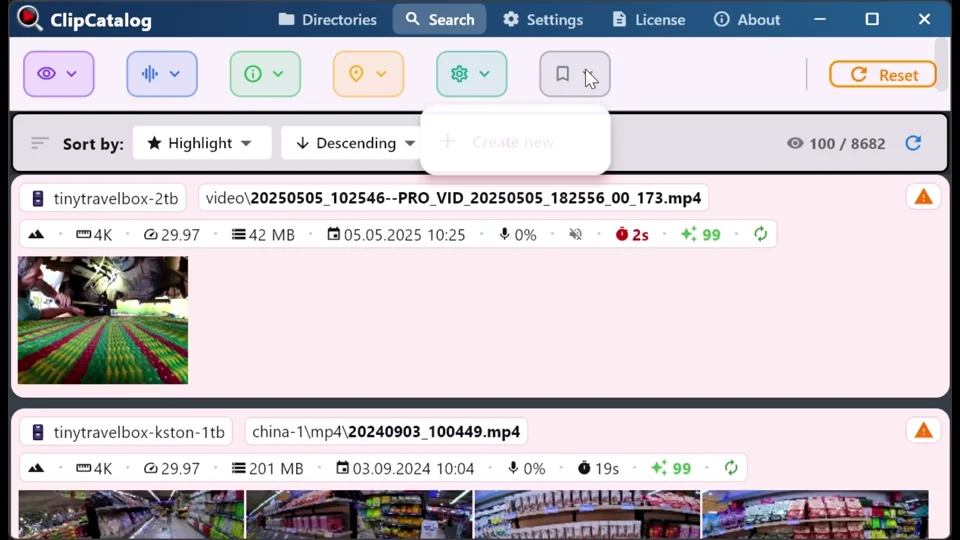
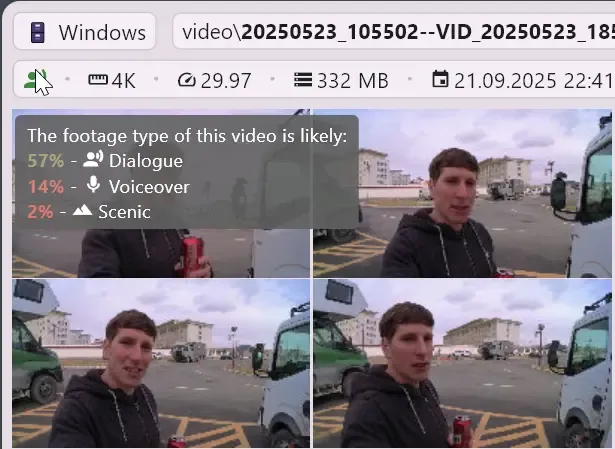
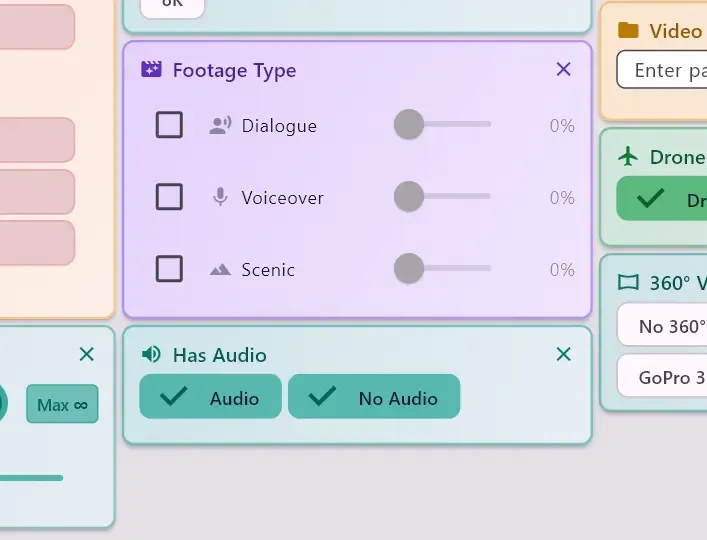
Smart footage type
ClipCatalog uses smart heuristics to classify every clip as dialog, voiceover, or scenic. Instantly filter by footage type to find exactly the kind of shot you need — no manual labeling required.
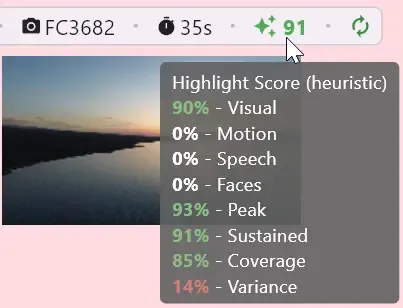
Highlight Score
A smart heuristic ranks your clips by how engaging they are — so the most exciting footage floats to the top. Spend less time previewing and more time editing the good stuff.
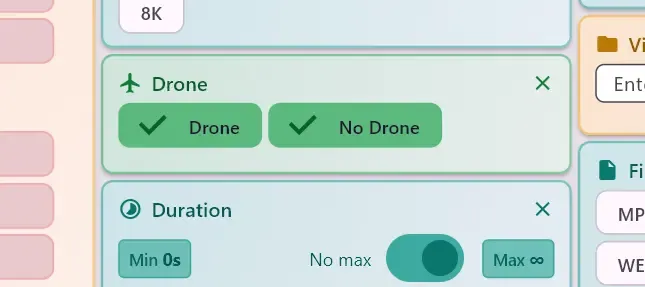
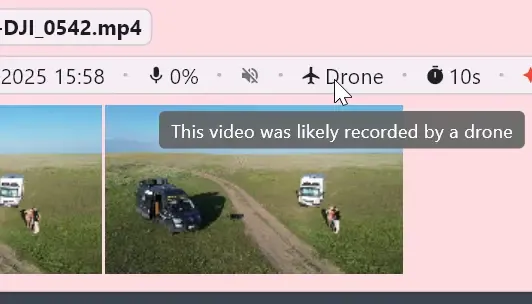
Drone footage detection
Automatically identifies aerial shots across your library. Quickly limit results to drone or non-drone footage without manually labeling a single file.
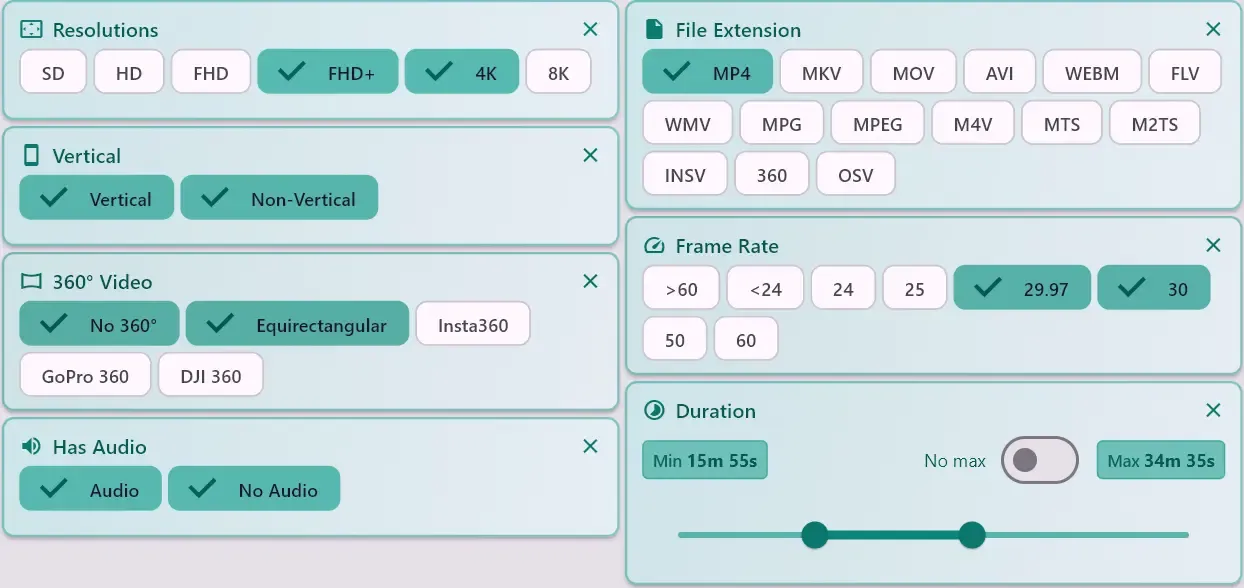
Technical filters
Filter by recording date, clip length, resolution, frame rate, horizontal vs. vertical, audio/no-audio, and more. Narrow thousands of clips down to exactly what fits your project specs.
Try it yourself — free for up to 500 videos
Robust, GPU-accelerated processing
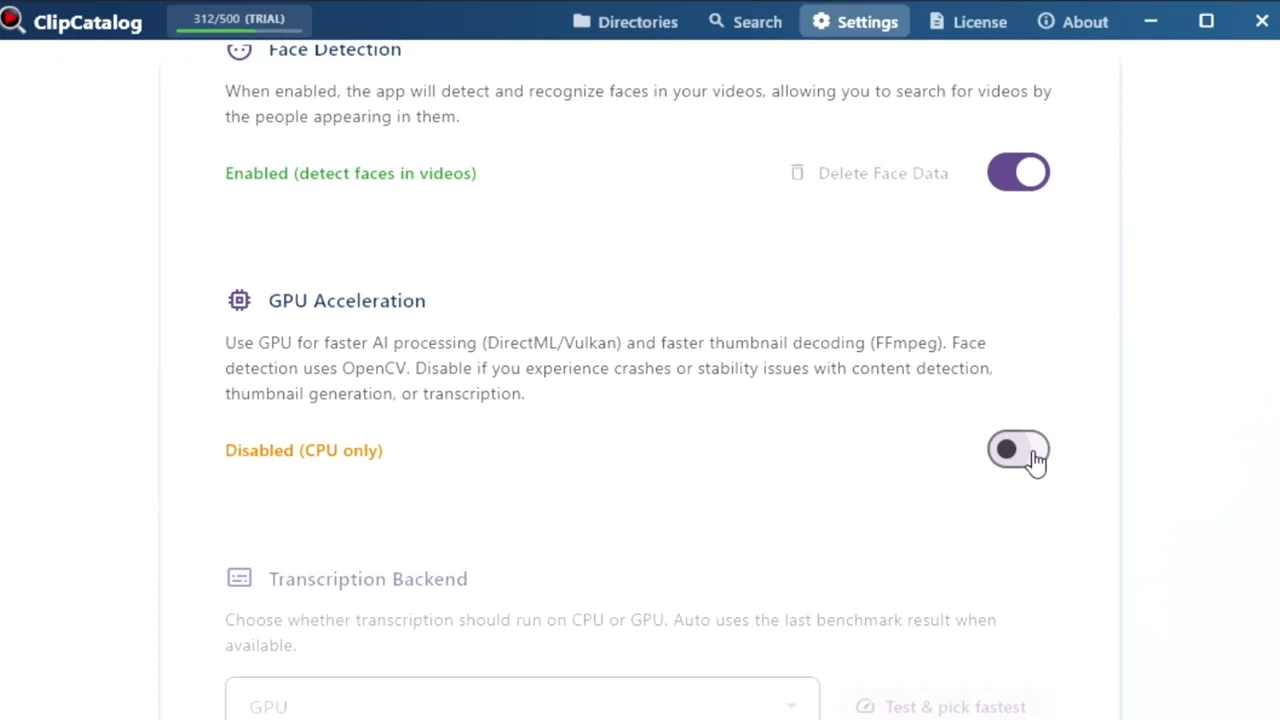
ClipCatalog takes advantage of your graphics card to speed up analysis — and falls back gracefully to CPU on any hardware. Stop and resume processing anytime; your progress is never lost. Learn more →
Drag clips straight into your editor
Found the perfect take? Select it and drag it directly into your editor — tested with CapCut, PowerDirector, Kdenlive, Premiere Pro, Vegas, and ShotCut. No more hunting through nested folders on multiple drives.
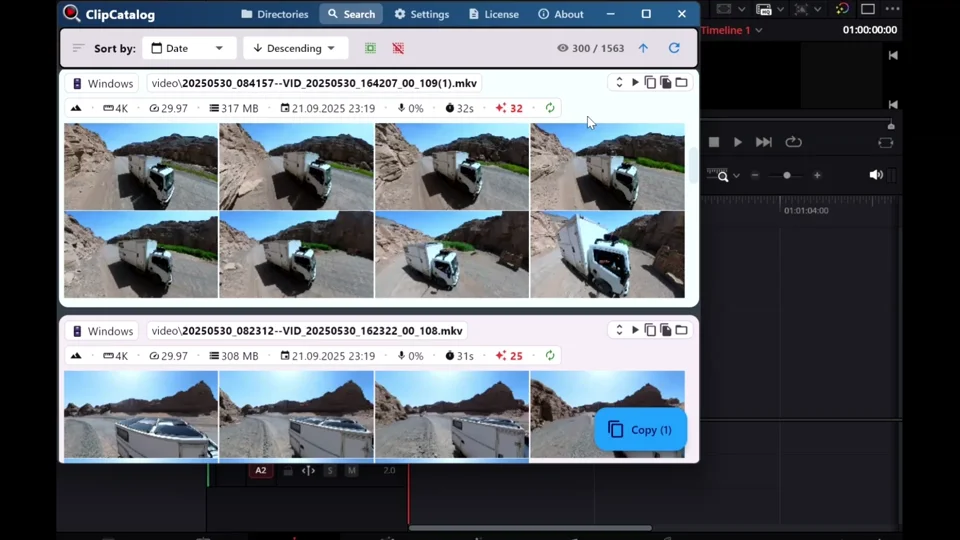
Drag & drop to your timeline
When you've found the clips you need, grab them from ClipCatalog and drop them right into your favourite video editor. Multi-select is supported, so you can move entire batches at once.
Tested drag & drop into:
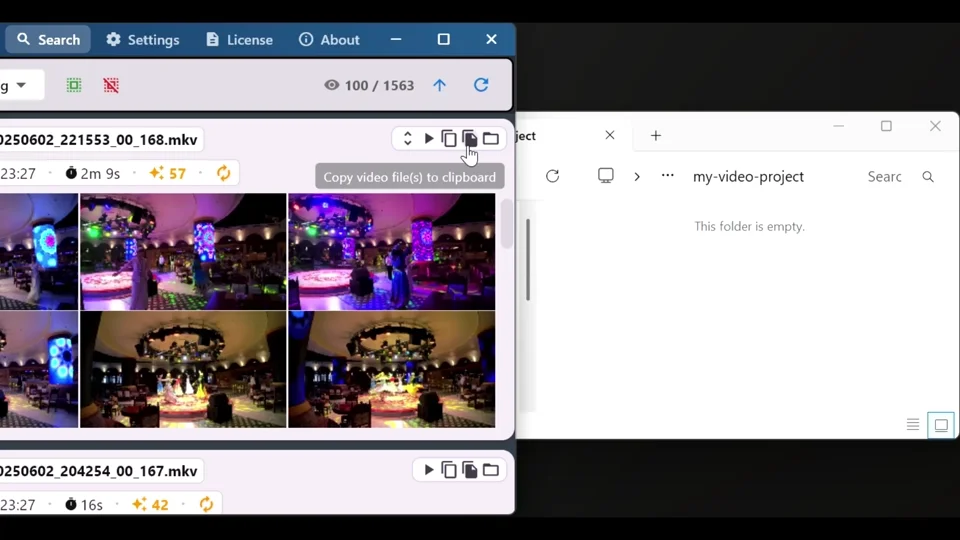
Or copy matches to any folder
Prefer to collect files first? Copy all matching clips to a location of your choice — great for handing off footage to collaborators or building project-specific folders.
Built for serious footage libraries
Whether you have a few hundred clips or terabytes of raw footage across dozens of drives, ClipCatalog handles it.
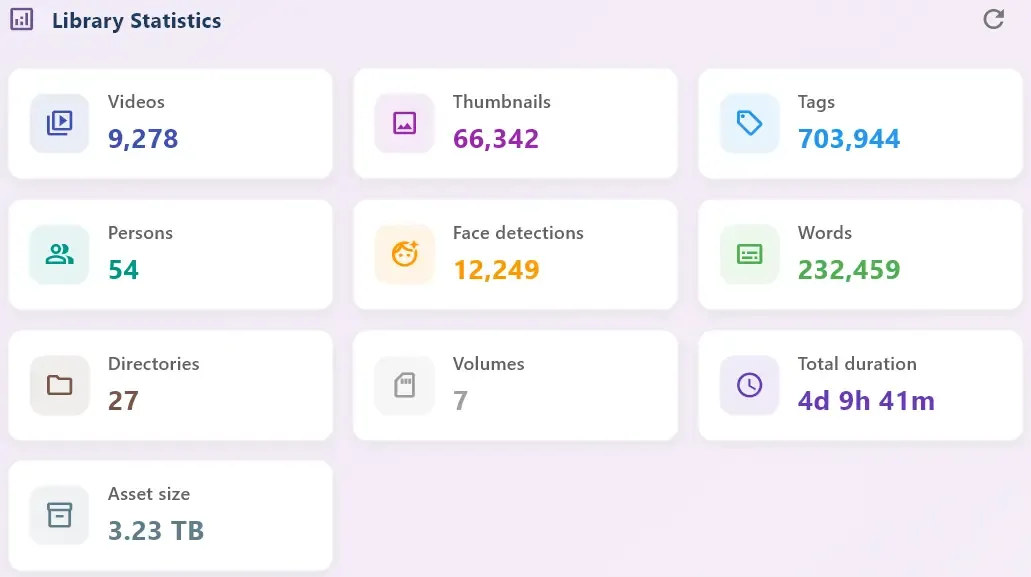
Large library support
Import many terabytes of video into the app. Lightning-fast thumbnail browsing with smart caching keeps everything responsive, even at massive scale.
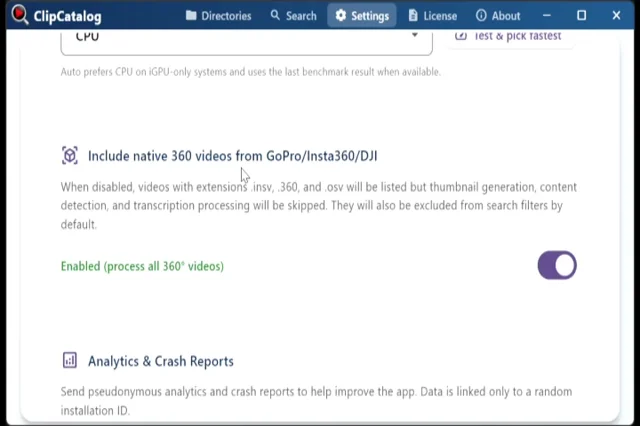
360° video support
Analyse native 360-degree footage from Insta360, GoPro, and DJI cameras. ClipCatalog recognises equirectangular and native formats with dedicated filters so your immersive clips are never left behind.
Your catalog works even when drives are unplugged
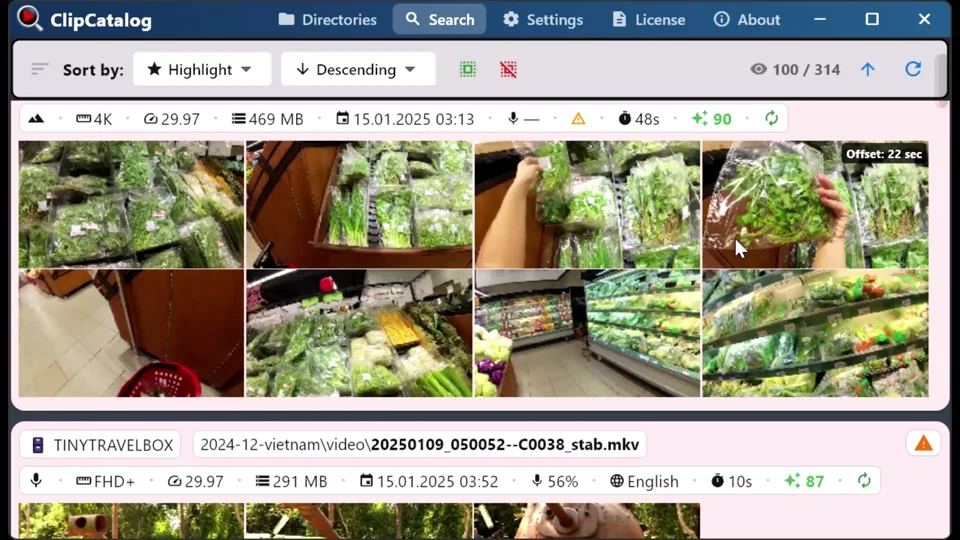
Connect external drives or SD cards — ClipCatalog remembers them. Search and plan edits even when the drive is disconnected, then plug it back in when you're ready to use the files. NAS support is coming soon. Learn more →
Handy tools built right in
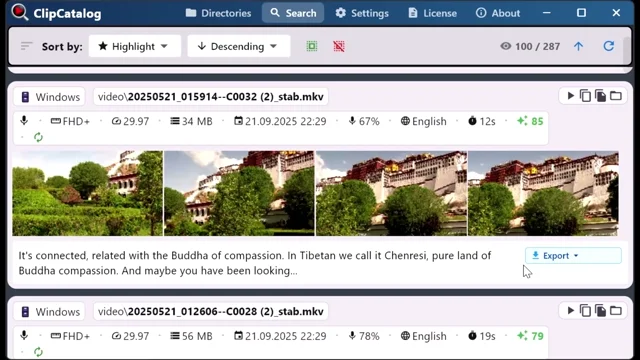
Export transcripts
Download word-for-word captions as plain text or SRT subtitle files — ready to drop straight into your editing timeline or publish alongside your video.
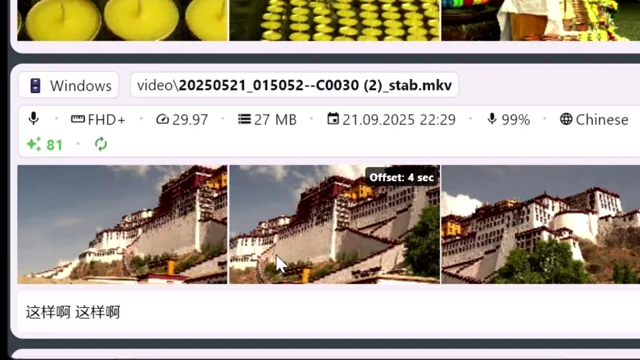
Built-in video player
Preview clips right inside the app without switching windows. Quickly verify a shot is the one you want before sending it to your editor.
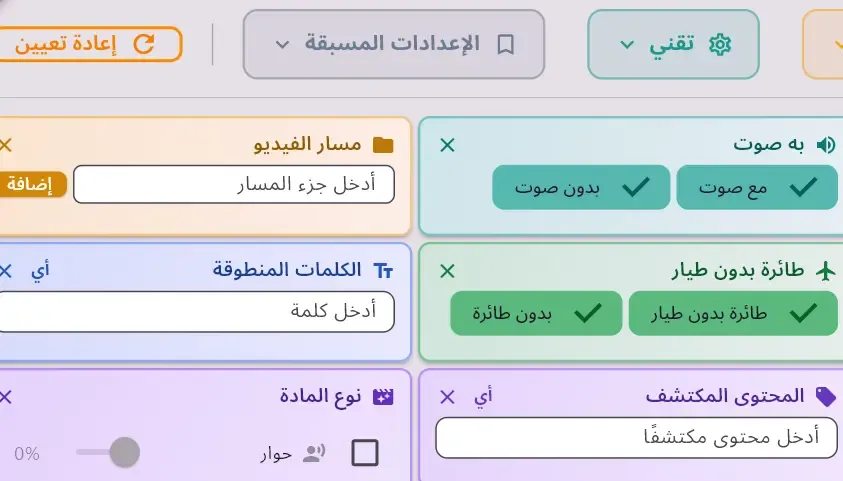
Fully localized
The entire interface — including AI-generated detected content labels — is translated into 10 languages: Arabic, German, English, Spanish, French, Japanese, Korean, Portuguese, Russian, and Chinese.
Find what you need across drives, libraries, and shoots
Find B-roll by what's on screen
You need a four-second shot of a sunset, a crowd, or a coffee cup — and you know you have it somewhere. ClipCatalog auto-tags every clip locally; stack tags with Match-All / Match-Any to pull matching B-roll from your entire library.
Organize footage across drives and NAS
Internal SSDs, external drives, NAS shares — one library catalogs them all. Search clips even when a drive is unplugged.
Search a TB-scale video library
Past a few terabytes, scrolling stops working. Combine tag, transcript, face, and metadata filters into one query and drop thousands of clips down to dozens — across every drive, with no per-minute fees.
Built for anyone with a growing video library
Family video organizer
A lifetime of footage, finally organized.
Search by person, place-like scenes, and spoken words — no manual labeling required.
YouTube footage manager
Your archive becomes your advantage.
Find the right shot fast with presets + filters (vertical/drone/360°) and instant preview.
Video library for film editors
Built for TB-scale projects and long edit cycles.
Transcript search + detected content help you pull story moments and coverage immediately.
Ready to organize your footage?
Download the free trial — no credit card required.