ClipCatalog logo ClipCatalog
JA
All comparisons Comparison page

ClipCatalog vs Daminion

A careful comparison for buyers deciding between a Daminion alternative for video-first retrieval and a broader digital asset management platform for shared metadata, permissions, web access, and mixed-media libraries.

This page is based on current ClipCatalog product materials and Daminion public materials reviewed on March 17, 2026, including Daminion pricing, feature, FAQ, integrations, AI, deployment, and documentation pages.
レビュー済み このページは2026年3月17日にClipCatalog編集チームが確認しました。

このページで確認した主要な公式ベンダー情報

上のリンクは、この比較で使用した主な公開情報を示しています。製品の詳細は変更される場合があるため、購入前に価格、プラン上限、機能範囲をベンダーの公式サイトで再確認してください。

Detailed feature comparison

The table below focuses only on capabilities that materially affect a buyer choosing between these products. Where Daminion's marketing pages and documentation differed, this page follows the more specific documentation or says so directly.

ClipCatalog and Daminion comparison table
Capability ClipCatalog Daminion
Primary product orientation AI-powered Windows desktop video cataloging, indexing, and retrieval for large local video libraries. According to Daminion public materials, a multi-user digital asset management platform for photos, videos, documents, and design files, with on-prem, cloud, or hybrid deployment.
Typical buyer and workflow Solo creators, editors, archivists, and small teams whose main problem is finding the right footage quickly inside large local archives. Teams that need a shared DAM for mixed media, structured metadata, permissions, version control, and secure internal or external sharing.
Operating system and access model Windows desktop application. Windows desktop client plus browser access across Windows, macOS, Linux, iOS, and Android according to Daminion system-requirements docs. Mac desktop use outside the browser is documented via Parallels Desktop or VMware Fusion rather than a native Mac app.
Deployment and storage model Local-first desktop app that indexes folders, drives, and archives directly on the user's machine. Public materials position Daminion for self-hosted, cloud, or hybrid deployment. Current feature pages mention self-hosting on Windows or Linux infrastructure, while the system-requirements docs are Windows-server-specific. Public materials emphasize keeping assets on existing NAS, Windows Server, and other in-place storage.
AI processing and cloud-dependency qualifiers Current product materials describe local-first analysis with explicit face-processing controls and local face-data deletion. Depends on feature and on which Daminion page you read. Current docs say image auto-tagging needs internet plus a Google Vision key after a trial, while audio and video transcription uses OpenAI Whisper with a user-supplied API key and pay-as-you-go billing. Newer marketing pages also mention local AI options, so buyers should verify the deployment model for each AI feature.
AI-detected visual search for video Yes. Visual content detection is a core search surface for video. Not clearly specified for video in the most detailed public docs reviewed here. Daminion clearly documents AI auto-tagging for photos and images, while broader marketing pages use wider AI-tagging language, so video-heavy buyers should verify current video-tagging scope.
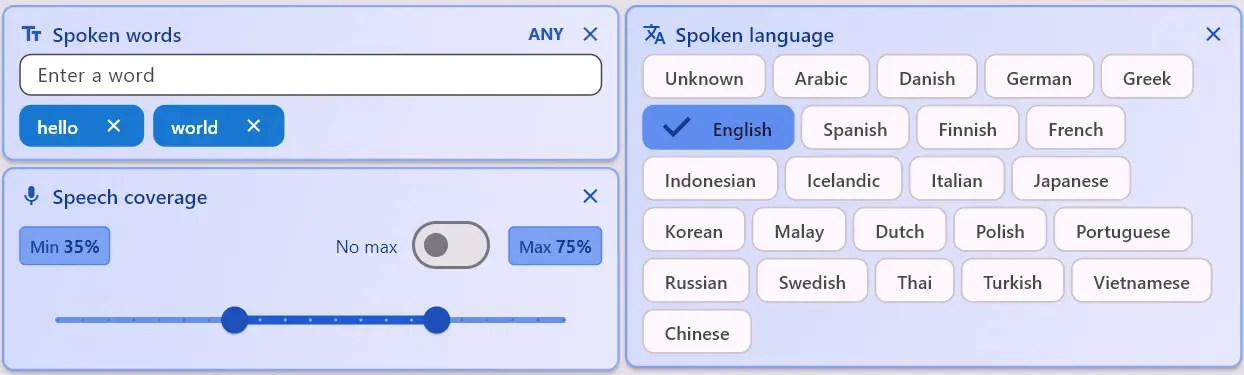
Spoken-word and transcript search Yes. Speech transcription and spoken-word search are core search surfaces. Yes. Daminion 10.5 public materials describe speech-to-text for audio and video, searchable transcripts, AI summaries, and click-to-navigate playback in the web client when video proxies are enabled.
Spoken-language filtering Yes. Spoken language detection and language-based filtering are part of the current feature set. Not publicly specified in the Daminion pages reviewed for this comparison.
Natural-language semantic video search Yes. Semantic video search is built around free-text descriptions plus strictness controls and relevance sorting. A directly comparable workflow was not publicly specified. Daminion clearly offers full-text, boolean, fuzzy, metadata, and transcript-based search.
Face recognition and person search Yes. Face detection, face grouping, person filters, and a direct workflow for finding more videos with the same person are documented. Yes for photos and images. Current public FAQ and docs say face recognition is image-focused, available in the desktop app, and not currently supported for videos or the web client.
Saved searches and structured metadata filtering Saved search presets plus combined filtering across visual labels, transcripts, people, metadata, path, volume, technical video fields, and footage-type filters. Yes. Advanced Search supports AND/OR logic, exclusion, saved searches, metadata fields, ratings, file size, media format, copyright, and other structured criteria.
Existing folder, NAS, and path-based workflows Directory, path, and volume filters are part of the search surface, and current materials emphasize archive folders and external drives. A clear Daminion strength. Public materials repeatedly say it preserves folder hierarchy, indexes files in place, and overlays search plus metadata on NAS, Windows Server, and other existing storage.
External-drive resilience and moved-folder handling Explicitly documented. ClipCatalog can warn on disconnected drives or missing folders, track volumes, and relink moved or renamed directories. Public materials describe external SAN or NAS mounting and archive-in-place workflows, but rotating-drive warnings, disconnected-drive states, or automatic moved-folder relinking were not publicly specified in the pages reviewed.
Technical video filters Resolution, frame rate, duration, file type, audio presence, vertical or non-vertical, and 360-degree filtering are part of the current feature set. Public search materials mention media format, file size, date, and other metadata filters. A comparable set of video-specific filters such as frame rate, duration, orientation, audio presence, or 360 status was not publicly specified.
Review and playback workflow Thumbnail-heavy browsing, in-app playback, transcript viewing, and direct open-in-folder or external-open actions for retrieval workflows. Strong preview and browser-review story. Public materials describe thumbnails, high-resolution previews, video previews, shared collections, and browser playback when web video-preview generation is enabled.
Collaboration, permissions, and approvals Current ClipCatalog materials focus on desktop search, review, and retrieval rather than approval chains or browser-based sharing. Yes. Public materials describe role-based permissions, shared collections with passwords and expiration dates, web-based commenting, check-in/check-out, and version history. Feature pages also mention approval workflows, though that was less specifically documented in the help pages reviewed.
Transcript export Yes. Transcripts can be copied or exported as TXT or SRT. Not publicly specified in the materials reviewed. Public docs describe transcript search, summaries, and click-to-navigate playback, but not a clear transcript-export workflow.
IT integrations and admin controls Current product materials emphasize desktop search, transcript export, and file handoff rather than directory services, SSO, or DAM-style admin tooling. Public materials list Active Directory or Entra ID, LDAP, SAML, Adobe Creative Cloud, Microsoft Office, a REST API, and audit-style admin features.
Pricing model One-time license per person with 2 activations and lifetime updates included, plus a trial limited to 500 videos or 10 hours. Pricing is quote-based on the live pricing page. Daminion says licensing is annual-subscription based, AI tagging is an add-on starting at USD 3 per 1,000 images, and lifetime licenses are noted for nonprofits or grant-funded organizations. Separate third-party usage charges may also apply for some AI features, including transcription and Google Vision-based auto-tagging.

Daminion notes summarize public vendor materials reviewed on March 17, 2026. Quote pricing, AI-service dependencies, and deployment details should be rechecked on Daminion's live pages before purchase.

Semantic clip search vs metadata-first DAM search

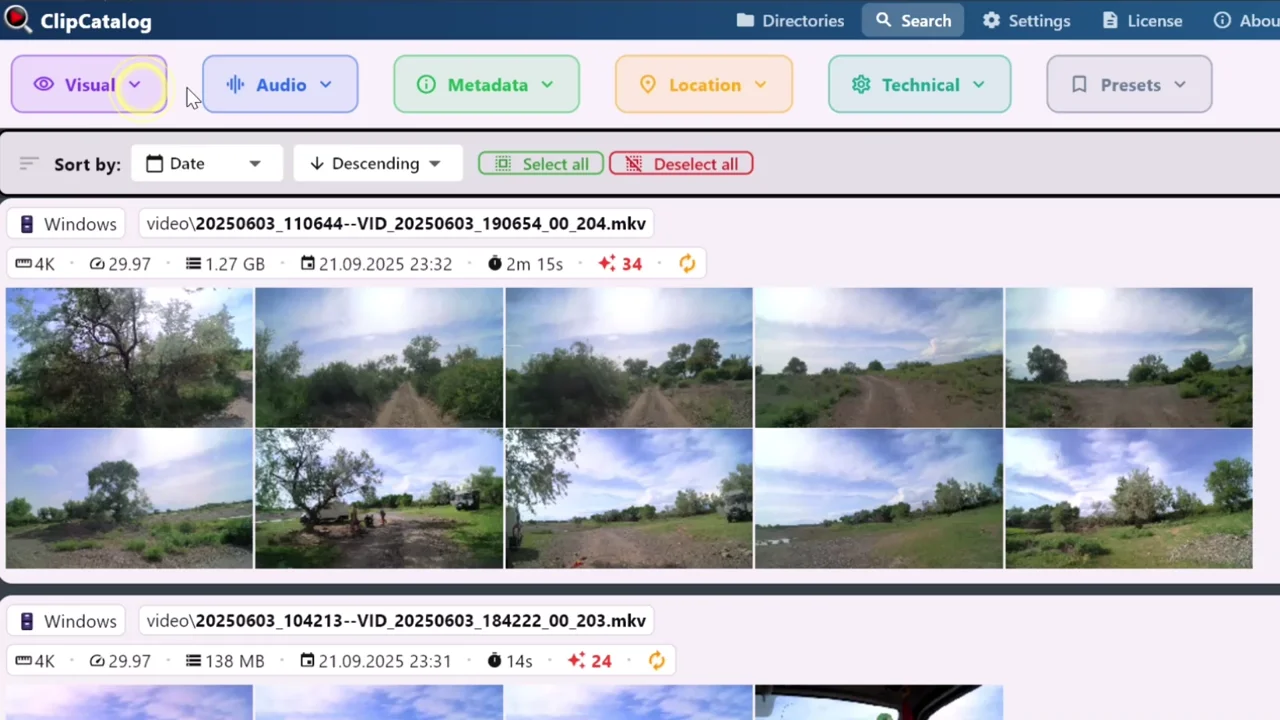
ClipCatalog is built around the question "how do I find the right shot?" Its current product materials emphasize semantic video search, transcript search, person search in video, technical filters, highlight ranking, and archive-aware browsing. That is a retrieval stack, not just a catalog.

Daminion's public materials point in a different direction. Search is strong, but it is framed inside a broader DAM model: custom metadata, saved searches, permissions, collections, version control, and many file types beyond video. If your buying decision is really about asset governance, Daminion is closer to that job.

Permissions, approvals, and link sharing

This is one of the clearest areas where Daminion may be better aligned. Public Daminion materials describe role-based permissions, shared collections with passwords and expiration dates, web-based commenting, check-in/check-out, and version history, while feature pages also mention approval workflows.

ClipCatalog's current product materials focus on local desktop review and retrieval instead. If you need an approval hub or a browser-facing client portal, Daminion deserves the stronger consideration.

Transcript search in both, but with different tradeoffs

Both products can make spoken words searchable, but the surrounding workflow is different. ClipCatalog treats transcript search as a core local video-retrieval surface and supports transcript export to TXT or SRT.

Daminion's current documentation says audio and video transcription is available from version 10.5, with searchable transcripts, AI summaries, and click-to-jump navigation in the web client when video proxies are enabled. The same docs also say transcription uses OpenAI Whisper with a user-supplied API key and pay-as-you-go pricing, so the privacy and cost assumptions differ from a purely local workflow.

Stable NAS libraries vs rotating archive drives

Daminion looks especially well suited to organizations with a stable shared library on NAS, Windows Server, or managed storage. Its public materials repeatedly emphasize preserving folder hierarchy, indexing files in place, and layering metadata and permissions on top of existing infrastructure.

ClipCatalog is stronger where archives are messy, mobile, or editor-owned. Current product materials call out disconnected external drives, unavailable folders, volume-aware filters, and moved-folder relinking - workflows that matter when footage lives across SSDs, backups, and renamed archive paths.

Where ClipCatalog stands out

These are the ClipCatalog strengths that look most relevant in a Daminion comparison, based on current product materials rather than broad marketing claims.

Semantic video retrieval

ClipCatalog is built around description-based video search, not only metadata or exact tags. That matters when you remember the scene you want but not the filename, folder, or exact keywords.

Video-specific compound filters

Current product materials combine visual labels, transcript terms, people, metadata, path, volume, technical video filters, footage-type filters, and highlight ranking in one workflow.

Person discovery inside video

ClipCatalog documents face detection, face grouping, person filters, and a direct workflow for finding more videos with the same person - specifically for video retrieval, not just photo archives.

Archive-drive resilience

If your footage lives across external SSDs, backup drives, and renamed folders, ClipCatalog's current volume tracking, disconnected-drive handling, and moved-folder relinking are unusually relevant.

Transcript export and uncommon video tooling

ClipCatalog treats transcripts as reusable assets with TXT and SRT export. Its current product materials also describe highlight ranking and 360-degree awareness, which were not publicly specified in the Daminion materials reviewed here.

Where Daminion may be the better choice

A fair comparison should also say where Daminion appears better aligned to the job. Based on current public materials, these are the clearest cases.

You need a true multi-user DAM

Daminion is more clearly built for permissions, shared collections, check-in/check-out, version history, approvals, and broader organizational control than the current ClipCatalog product surface.

Your library is mixed-media, not video-first

If you manage photos, PDFs, Office files, design assets, and video together, Daminion's broader DAM model may be the better fit than a video-focused retrieval tool.

You want on-prem, cloud, or hybrid deployment choice

Daminion publicly positions deployment flexibility as a major strength, with self-hosted, cloud-hosted, and hybrid options for teams with IT, compliance, or hosting requirements.

You need browser sharing and review links

Daminion's public materials describe browser access, password-protected shared collections, expiration dates, and external review workflows. That is a different job from ClipCatalog's current desktop-centered positioning.

You care about directory services and integration hooks

Active Directory or Entra ID, LDAP, SAML, Adobe tools, Microsoft Office, and the API story make Daminion more suitable when the DAM must fit into a larger business stack.

Frequently asked questions

Is ClipCatalog a good alternative to Daminion?

It can be, but mainly if your core problem is video retrieval rather than full DAM administration. ClipCatalog is the more video-specific option for Windows users with large local footage libraries; Daminion is the broader fit for organizations that need shared metadata, permissions, version control, and browser access.

Which tool makes more sense for Windows users with large video archives?

Based on current product materials, ClipCatalog may be the closer fit. It is positioned as a Windows desktop product built around video search, transcript search, person discovery in video, and archive-aware folder handling. Daminion also has a Windows client, but its public positioning is broader and more DAM-oriented.

Is Daminion the better choice for multi-user DAM and permissions?

Based on current public materials, yes. Daminion publicly describes role-based permissions, shared collections, approval workflows, version control, and web access, which are not central to ClipCatalog's current product positioning.

Does Daminion transcribe audio and video?

Yes, according to Daminion's current 10.5 public materials and documentation. The docs reviewed for this page say transcription covers audio and video, creates searchable text and summaries, and uses OpenAI Whisper with a user-supplied API key and pay-as-you-go pricing.

Does Daminion currently recognize people inside videos?

Not according to the current public materials reviewed here. Daminion's face-recognition FAQ and documentation describe face recognition for photos and images, say it is desktop-only, and state that video support is not currently available.

Does Daminion offer natural-language video search like ClipCatalog?

A directly comparable workflow was not publicly specified. Daminion clearly offers full-text, metadata, saved-search, boolean, fuzzy, and transcript-based search, but the materials reviewed here do not describe ClipCatalog-style free-text semantic video retrieval across visual scenes.

Can ClipCatalog work with external SSDs and moved folders?

Yes. Current ClipCatalog product materials describe external-drive awareness, disconnected-drive handling, volume filters, warnings for missing folders, and relocated-folder relinking.

Which product makes more sense if you manage photos, PDFs, Office files, and video together?

Daminion is usually the closer match. Its public materials emphasize mixed-media DAM workflows across photos, video, documents, design files, permissions, and shared collections, while ClipCatalog is deliberately positioned as a video-first search and retrieval tool.

Comparison note

This comparison is based on publicly available product information reviewed on March 17, 2026 and on current ClipCatalog product materials. It is intended to help buyers evaluate fit, not to imply affiliation, endorsement, or hands-on testing of Daminion beyond review of public materials. Daminion and ClipCatalog are trademarks of their respective owners.

See if ClipCatalog fits your video archive

Download the Windows trial, index a real folder, and compare how quickly you can find spoken words, people, and visual scenes across up to 500 videos or 10 hours of footage.

500本の動画を無料で視聴 14日間の返金 単発購入